Updating XML Documents Using the Grid


The XML editor Grid tab is available only in Stylus Studio XML Professional Edition.

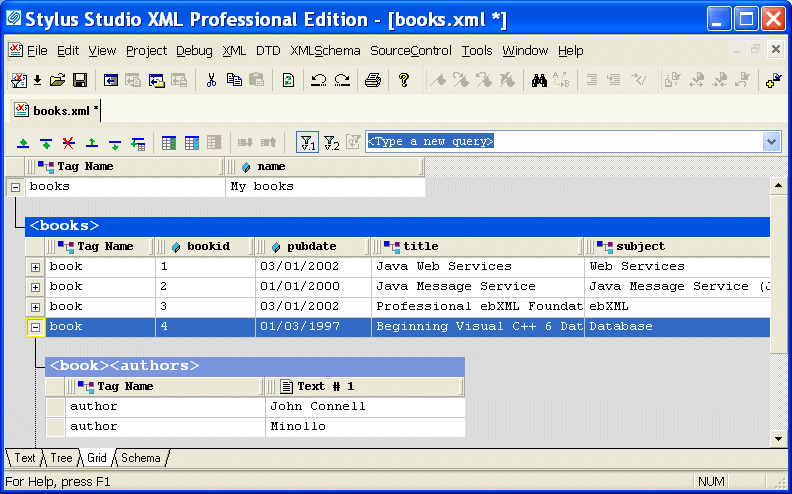
The Grid view of an XML document is useful for structured data - it is a convenient way to view and work with documents that contain multiple instances of the same type of element.

Figure 108. Grid View of books.xml

This section describes the features of the Grid tab and how to use it to edit XML documents. This section covers the following topics:

XML Schema Library

The Stylus Studio XML Schema Library provides a detailed reference of many of the world's most commonly used XML vocabularies in an easy-to-read format.

Xerces - Parsing and Validating XML with the Apache Xerces Parser

The Xerces Parser supports the XML 1.0 recommendation and W3C's XML Schema recommendation version 1.0, DOM and SAX. Learn how easy it is to use Apache Xerces directly in Stylus Studio to parse and validate XML with ease.

DTD Generator

Stylus Studio's DTD Generator supports the automatic generation and association of both internal and external DTDs based on XML instance documents.

MSXML - Microsoft XML Tools

MSXML tools in Stylus Studio feature integrated XML validation, XSLT transformation and XSLT debugging using the Microsoft's COM-based XML processing components: MSXML 3.0, MSXML 4.0 and MSXML 6.0

Stylus Most Wanted

 
Free Stylus Studio XML Training:
W3C Member