|
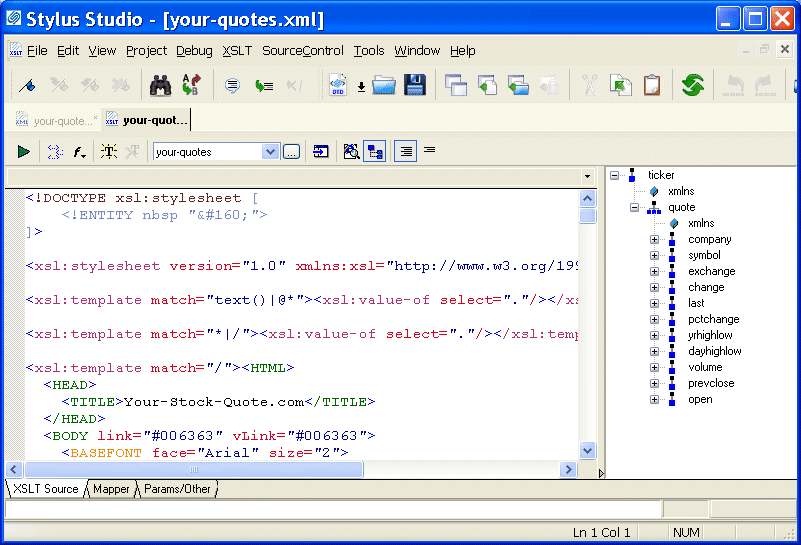
Home >Online Product Documentation >Table of Contents >Opening a Sample Stylesheet Opening a Sample StylesheetTo open the your-quotes.xsl sample XSLT stylesheet in Stylus Studio:
1. In the File Explorer or Open dialog box, navigate to the examples\quotes directory in your Stylus Studio installation directory.
Alternative: If the Stylus Studio
2. Double-click your-quotes.xsl. Stylus Studio displays the your-quotes.xsl document in the XSLT Source tab of the XSLT editor.As with the XML Editor, Stylus Studio uses different colors to distinguish markup, tag names, and data in the XSLT Editor. |

Java Code Generation
The Stylus Studio Java Codce Generator lets you generate deployable Java code for XQuery and XSLT at the push of a button!
Accessing Relational Databases as XML with Stylus Studio's File Explorer
This demonstration is the first part of our series on working with relational and XML data, covering how to use Stylus Studio's File Explorer to connect to and query relational database tables as XML.
Database-to-XML Mapping
Stylus Studio features several database-to-XML mapping tools that allow you to easily query a relational database using SQL/XML or SQL and render the results as XML. Stylus Studio also supports the world's first and only visual SQL/XML Editor!
OASIS Catalogs for Fun and Profit
This tutorial about, Understanding Catalogs, A Use-Case for Catalogs, Registering Catalogs in a Project, Using the DOCTYPE Syntax Sense:X Aid, Navigating Catalogs, Building Composite Catalogs, Converting TR9401 Catalogs to OASIS XML Catalogs and more