|
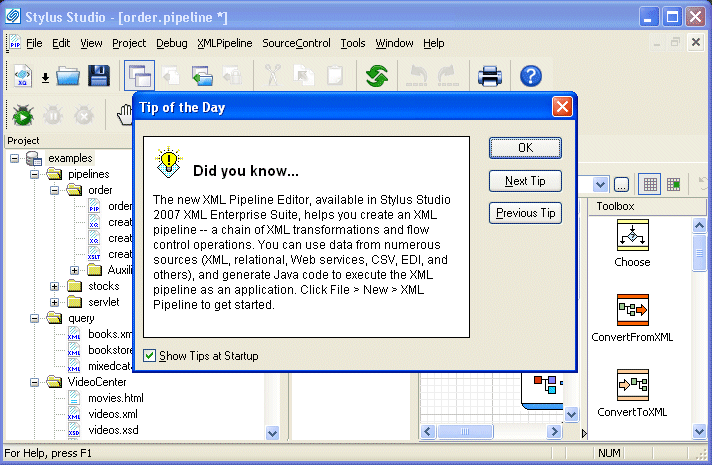
Home >Online Product Documentation >Table of Contents >Starting Stylus Studio Starting Stylus StudioThroughout this chapter, you perform exercises that require you to first start Stylus Studio. For example, if you installed Stylus Studio XML Enterprise Suite, you would Select Start > Programs > Stylus Studio XML Enterprise Suite > Stylus Studio.The path shown here assumes that you accepted the defaults when you installed Stylus Studio. If you did not, you must alter your selection path accordingly. You can also start Stylus Studio by double-clicking the desktop icon, which is added to your desktop by default when you install Stylus Studio: On startup, Stylus Studio displays the Tip of the Day dialog box. |

Metals, Mining & Crude-Oil Production
It can be very dark and dreary in a mine. That's why metal, mining & crude-oil production are using Stylus Studio as their light when it comes to data integration. See which of these top companies are using Stylus Studio to show them the way to XML!
Scientific, Photo & Control Equipment
Scientific, photo & control equipment companies hear clicks and beeps all day. But, when it comes to data integration it needs to be done in a flash, that's why they use Stylus Studio. Come see which top companies are seeing XML in a brand new light!
DTD Validator
This page talks about Stylus Studio's DTD Validator it has the ability to specify any third-party XML parsers and validators, real-time syntax checking and DTD validation error reporting, backmapping, integrating third-party DTD validators and more!
Building DataDirect XQuery Applications
Stylus Studio further simplifies relational and XML data integration by providing advanced XQuery tools support for building XQuery applications which use DataDirect XQuery.