Cart
Cart
|
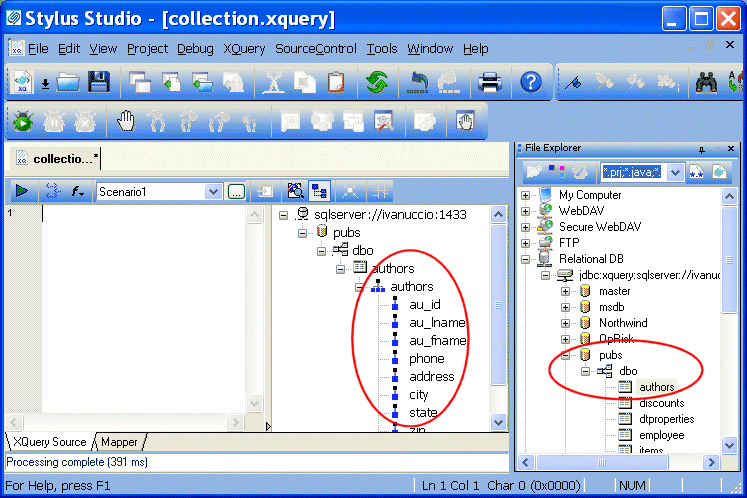
Home >Online Product Documentation >Table of Contents >Other Ways to Register a Database Configuration Other Ways to Register a Database ConfigurationIf you choose, you can explicitly register a database connection by dropping any elements from a database connection displayed in the File Explorer window (the connection representation, database, schema, table, or view) on the schema pane of the XQuery Source tab. You might want to do this when you want to view a table's or view's columns prior to writing your XQuery code, so you can see what data structures are available, as shown here: This also gives you the ability to close the File Explorer window after creating your database connection - providing more room to work, and simplifying the Stylus Studio desktop display. Choosing a Database ObjectYou can register a database connection by dragging any database object from the File Explorer window. The object you select affects which objects you can then query in your XQuery code:
Once you register a database connection to the XQuery, the configuration information remains associated with the XQuery until you explicitly delete it from the schema pane in the XQuery Editor. |

XML PRODUCTIVITY THROUGH INNOVATION ™