|
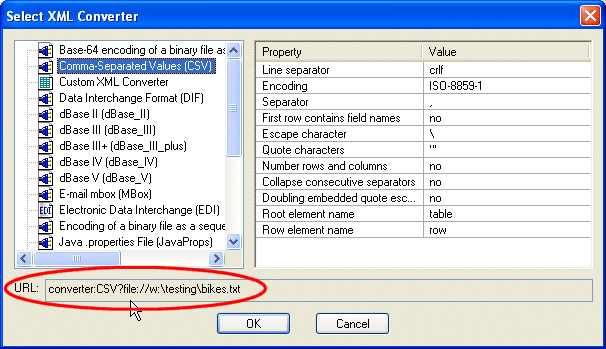
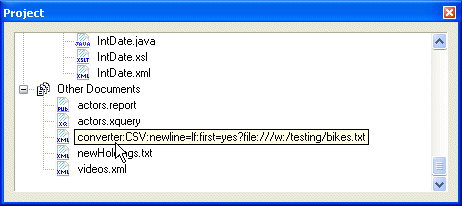
Home >Online Product Documentation >Table of Contents >Where Converter URLs are Displayed in Stylus Studio Where Converter URLs are Displayed in Stylus StudioConverter URLs are displayed in the following places in Stylus Studio: Note that XML Converters name and properties used in the converter URL vary from the full names displayed in the Select XML Converter dialog box. In addition, note that only properties whose default value you change in the Value field are displayed in the URL field. You can use either source for the converter URL strings you want to use in your XQuery and XSLT code. See Using Stylus Studio to Build a Converter URL for more information. |

Learn SQL/XML
Learn how to access and update relational databases using industry-standard SQL/XML technologies along with Stylus Studio's DB-to-XML editor and File Explorer technologies.
Stylesheet Design - How to Publish your Data Using a Stylesheet Designer
Simplify Stylesheet Design with Stylus Studio's XML Publisher, a visual stylesheet designer and code generator to help you create XSLT or XQuery to publish your data to HTML+CSS or XSL:FO.
Accessing Relational Databases as XML with Stylus Studio's File Explorer
This demonstration is the first part of our series on working with relational and XML data, covering how to use Stylus Studio's File Explorer to connect to and query relational database tables as XML.
XML Programming
Simplify XML Programming with Stylus Studio's XML Pipeline, a powerful tool for modeling, programming, debugging and deploying complete XML programs.