Cart
Cart
|
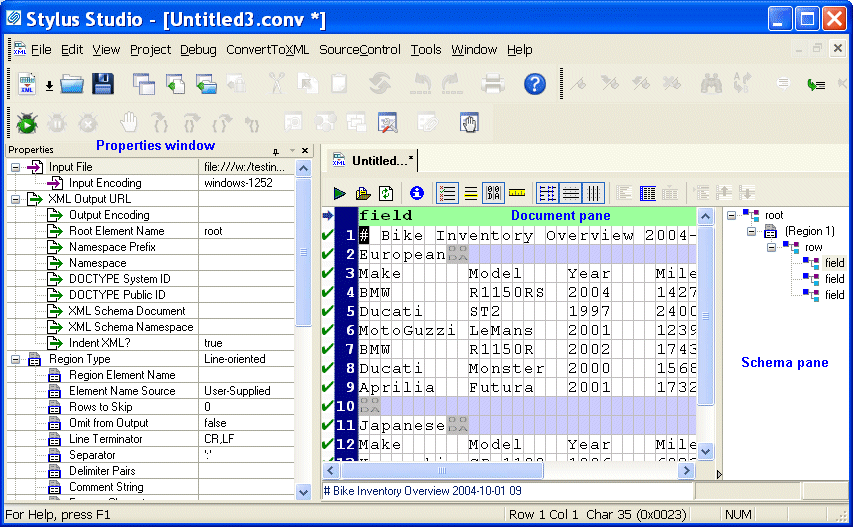
Home >Online Product Documentation >Table of Contents >Custom XML Converters Custom XML ConvertersIn Stylus Studio, you create a custom XML Converters by creating a custom XML conversion definition that allows the DataDirect XML Converters engine to convert proprietary files and extensions to standard formats. You create a custom XML conversion definition by selecting an input file and then using the Custom XML Conversion Definition Editor, shown in Figure 145, to specify the properties you want to use to convert that file (or others that share the same format). The Custom XML Conversion Definition Editor displays information read from the input file, as well a number of other properties you can specify (such as whether or not you want element names based on the file's first row, for example) that are used when the file is converted from one format to another. |

XML PRODUCTIVITY THROUGH INNOVATION ™