Cart
Cart
|
Home > Online Product Documentation > Table of Contents > Syntax and Usage Syntax and Usage
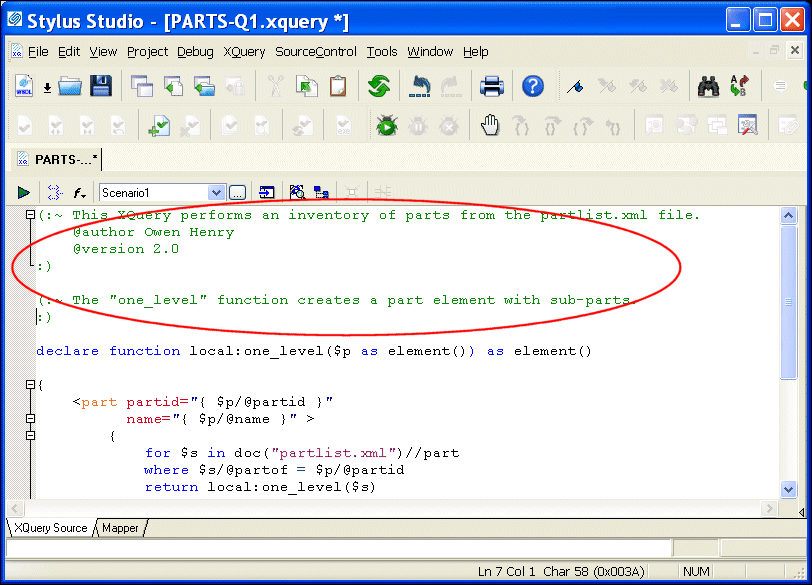
Comments for xqDoc must start with
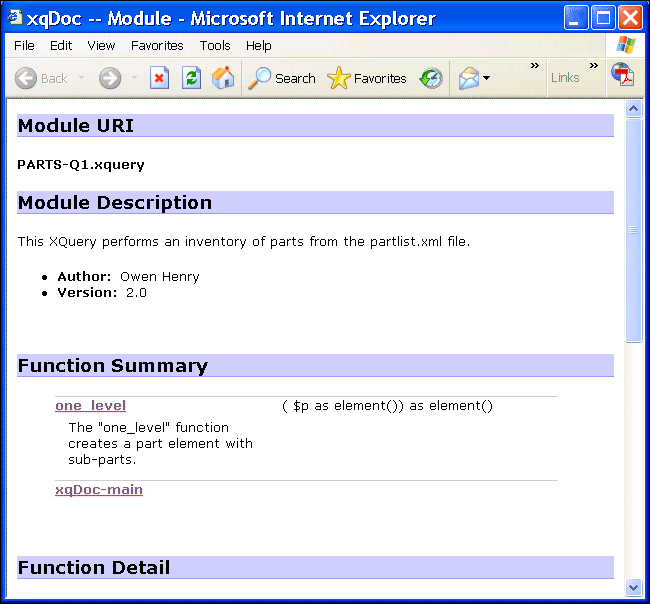
The first comment in an XQuery document is interpreted by xqDoc as the Module Description. Within that comment, xqDoc recognizes certain keywords preceded by the at (@) sign. Examples include @author and @version. See the xqDoc documentation at http://www.xqdoc.org for more information. Here is a report for the same document shown in Figure 339 with a user-defined module and function descriptions.
All other comments must precede function declarations. xqDoc uses the text you enter to provide a description for each function listed in the Function Summary. The same description is used in the Function Detail. Here is an illustration of the XQuery document in the XQuery Editor; the xqDoc comments are highlighted:
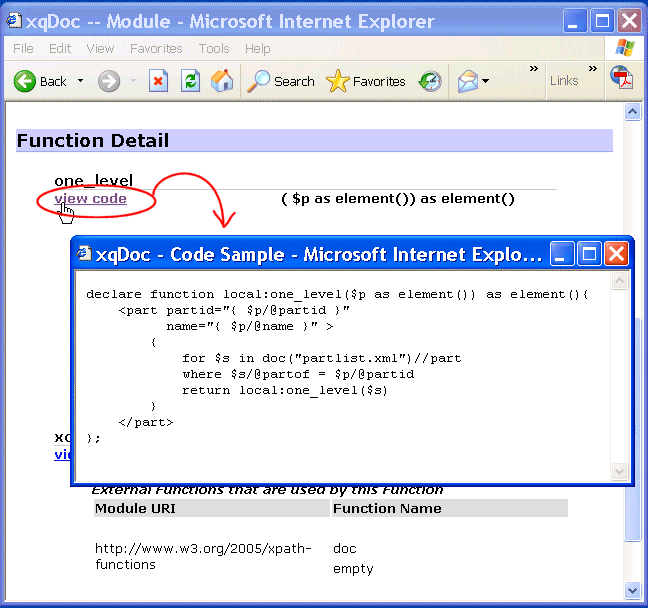
Save the XQuery DocumentWhen you annotate an XQuery document using xqDoc comments, make sure to save the XQuery document before generating documentation. Unsaved work is not detected by the report generating mechanism. ActiveX ControlsxqDoc reports use ActiveX controls for navigation and code sample generation. Make sure to enable ActiveX controls for the browser displaying the xqDoc report. Viewing Code SamplesYou can view code samples from an xqDoc report by clicking the view code hyperlink, as shown in the following illustration.
The XQuery code sample appears in a separate Web browser. |

XML PRODUCTIVITY THROUGH INNOVATION ™