Cart
Cart
|
Home > Online Product Documentation > Table of Contents > Viewing Sample XML Viewing Sample XML
You can view a sample of the XML represented by a node in the XML Schema
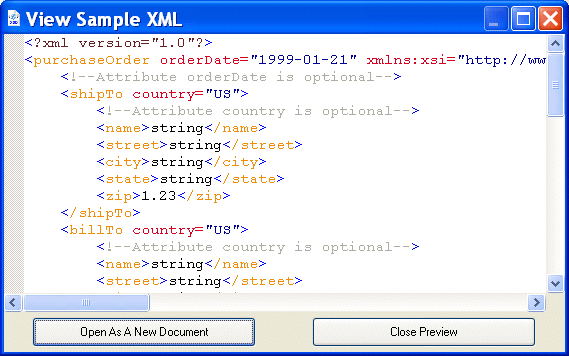
Diagram tab. You can also optionally create an XML document based on that instance. For example, here is an instance of the XML represented by the
If you want, you can create a new XML document based on this instance by clicking the Open as New Document button.
To view sample XML:
1. In the
Diagram tab, select the node for which you want to see sample XML.
2. Select
Diagram > View XML Sample from the Stylus Studio menu.
Alternative: Select View XML Sample from the node's shortcut menu (right-click to display). The View Sample XML dialog box appears. (See Figure 257.)
3. If you want to open this instance as a new XML document in Stylus Studio, click the
Open as a New Document button. Otherwise, click
Close Preview.
|

XML PRODUCTIVITY THROUGH INNOVATION ™