|
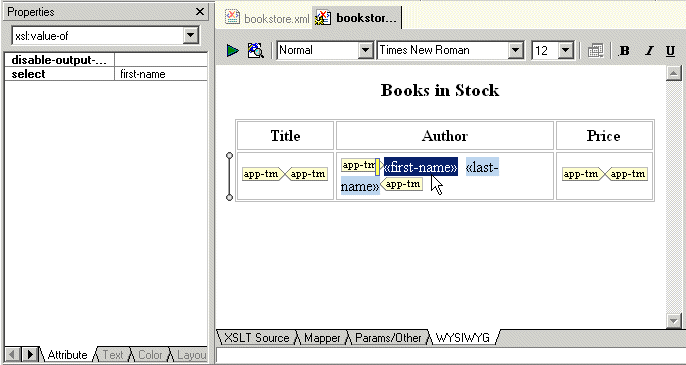
Home > Online Product Documentation > Table of Contents > Specifying Properties and Attributes in the HTML Editor Specifying Properties and Attributes in the HTML EditorThe Properties window displays the properties for the location you click in the HTML canvas. The immediately visible properties are for the element that directly contains the location you clicked.
In the Properties window, click the down arrow to display a list of the elements that enclose the element that directly contains the location you clicked. The elements are listed from innermost to outermost. Click an element to display its properties. |

An Introduction To XML Schema Development
An Introduction to XML schema development in Stylus Studio covers some of the highlights of our XML Schema Editor, powerful tools for editing, validating, converting and generating XML schema. Watch the video online today!
Data Integration Tools: Using the Stylus Studio XML Pipeline to Visually Integrate and Publish Data
Data Integration Tools from Stylus Studio include a visual pipeline editor, support for non-XML data sources, scalable data integration components, cross-language debugging and Java code generation. Try it now.
Business Solutions & Outsourcing
Business Solutions & Outsourcing companies know the best solutions. That's why they choose Stylus Studio to enhance their business productivity. See which companies are already using Stylus Studio 2006 to take care of their own business!
Learn XSLT
Free online video demonstrations for learning XSLT and how to design XSLT stylesheets to convert XML to HTML in publishing applications, or how to convert HTML to XML.