Home >
Online Product Documentation >
Table of Contents >
Gathering Debug Information About the Sample Files
Gathering Debug Information About the Sample Files
This topic is part of a sequence that starts with
Setting Up Stylus Studio to Debug Sample Files.
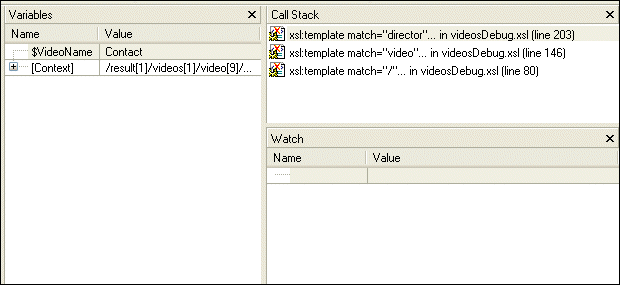
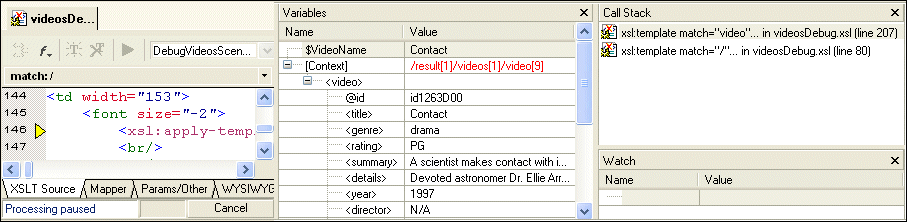
When XSLT processing is suspended at a breakpoint, Stylus Studio displays the
Variables,
Call Stack, and
Watch windows.
|
|
Figure 56. Variable, Call Stack, and Watch Windows Appear During Debugging
You can use the information in these windows to learn about potential and actual problems encountered in your XSLT processing.
|
Tip
|
|
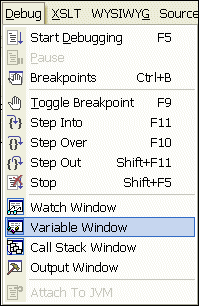
You can also control the display of these windows using the
Debug menu, shown here, or the tool bar.
|
The Variables Window
The
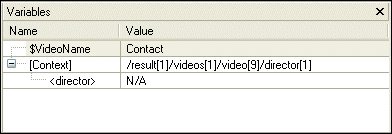
Variables window displays a list of variables and their values when processing was suspended.
|
|
Figure 57. Variables Window
As you can see, the stylesheet defines the
VideoName parameter, which had no value when processing was suspended. In addition, the
Variables window shows you that when processing was suspended, the processor was operating on the first
director child element of the first
video child element of the first
videos child element of the first
result element.
The Call Stack Window
The
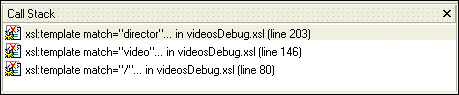
Call Stack window displays a history of the steps the processor performed to reach the point at which processing was suspended, including the names of the templates that are currently instantiated, in most recent-to-oldest order.
|
|
Figure 58. Call Stack Window
In this example, the XSLT processor has instantiated the
director template, which is part of the instantiation of the
video template, which is part of the instantiation of the template that matches the root node.
To step out of debug, click Step out
 , or press Shift+F11.
The processor completes the instantiation of the
director template, which adds some HTML to the
Preview window. The yellow triangle moves to show the new location in the XSLT source.
|
|
Figure 59. Stepping Out Advances the Processor
As you can see in the
Call Stack window, the processor is now two levels deep in the template that matches the root node, instead of three levels deep as it was previously. The value of the context node in the
Variables window is
/result[1]/videos[1]/video[9] (it was
/result[1]/videos[1]/video[9]/director[1]).
The Watch Window
If your application contains a lot of variables, the
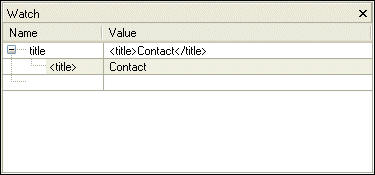
Watch window allows you to focus on the variables in which you are particularly interested.
|
|
Figure 60. Watch Window Lets You Track Variables
To enter a variable to watch:
1. Double-click the
Name field.
2. Type the name of the variable you want to watch and press Enter.
As processing continues, the
Watch window displays the values of the variables you specify.
 Cart
Cart