Cart
Cart
|
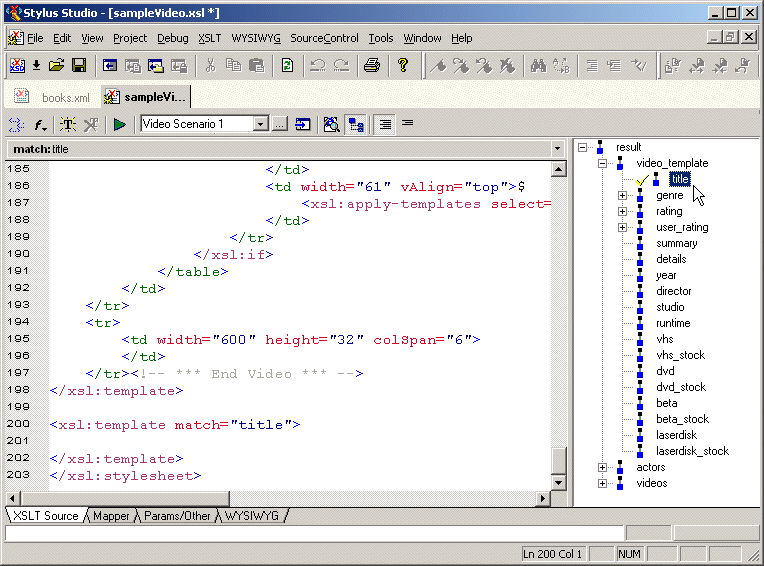
Home > Online Product Documentation > Table of Contents > Benefits of Using Stylus Studio Benefits of Using Stylus StudioNow that you have an understanding of what a stylesheet can do, you can appreciate the benefits of using Stylus Studio to create stylesheets. Stylus Studio is the first integrated environment for creating, managing, and maintaining an XSL-enabled Web presence. By combining the tools needed to create XSLT stylesheets in a visual editing environment, Stylus Studio speeds initial development and eases maintenance. Key features of Stylus Studio include Structural Data ViewStylus Studio graphically displays the structure, or schema, of the XML data to which you want to apply a stylesheet.
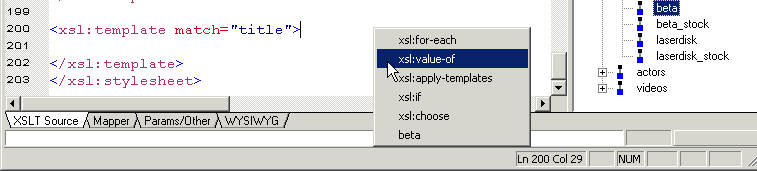
Using this tree view, you can apply formatting to your XML - double-clicking a node in the tree automatically adds an
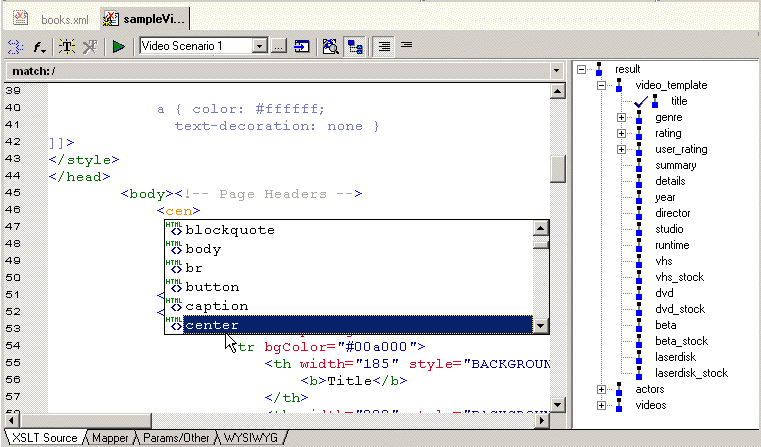
Finally, you can also use the tree to move quickly among different XSLT templates - clicking a node in the tree places the cursor at the corresponding template in the XSLT source. Sophisticated Editing EnvironmentThe Stylus Studio editor allows you to edit both the XML source document and the XSLT stylesheet. There is no need to memorize complicated syntax. As you type, Stylus Studio Sense:X technology automatically suggests XSLT or HTML tag and attribute names, and ensures that all XML is well formed.
Sense:X also adapts to your document by suggesting more frequently used tags first. Valid XSLT and HTML tag names are color coded to improve readability. XSLT and Java Debugging FeaturesComplex stylesheets require robust debugging features. With Stylus Studio, you can do the following:
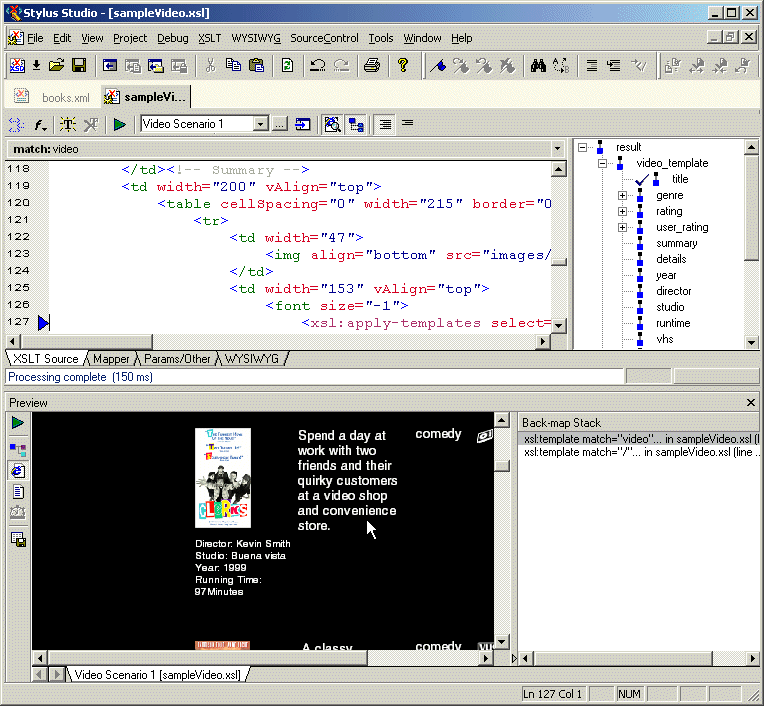
Also, you can click in the stylesheet and the backmapping feature highlights the text generated by that template.
Integrated XML Parser/XSLT ProcessorStylus Studio integrates an XML parser with an XSLT processor. This allows Stylus Studio to instantly show the output of your stylesheet. Each time you apply a stylesheet to an XML document, Stylus Studio detects and flags any errors in your stylesheet or XML data. Stylus Studio's default XSLT processor is compliant with the W3C XSLT Recommendation. You can also use the Xalan-J processor, or custom processors of your own. |

XML PRODUCTIVITY THROUGH INNOVATION ™