Cart
Cart|
|
Home > Online Product Documentation > Table of Contents > Opening a File Stored on Berkeley DB XML Opening a File Stored on Berkeley DB XMLYou can open files stored on Berkeley DB XML in one of two ways:
To open a file stored on Berkeley DB XML:
1. From the Stylus Studio menu bar, select
File >
Open.
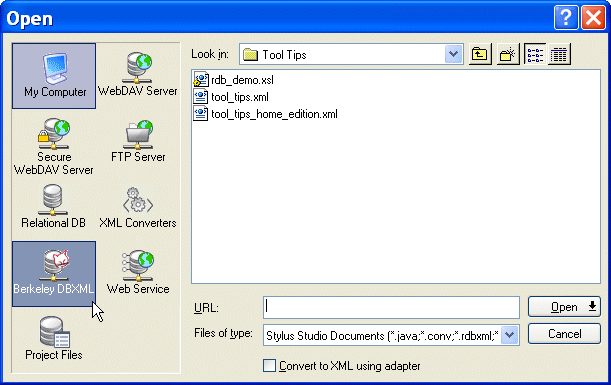
The Open dialog box appears. The left panel of the dialog box displays icons representing the file systems to which Stylus Studio has access, including one for Berkeley DB XML:
2. Click the
Berkeley DB XML icon.
The right side of the dialog box displays directories, containers, and any documents that match the extensions in the Files of type field.
3. Navigate the file system to locate the Berkeley DB XML database that contains the file you want to open.
4. Click the
Open button.
|

XML PRODUCTIVITY THROUGH INNOVATION ™