|
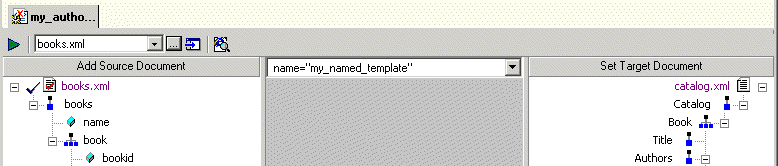
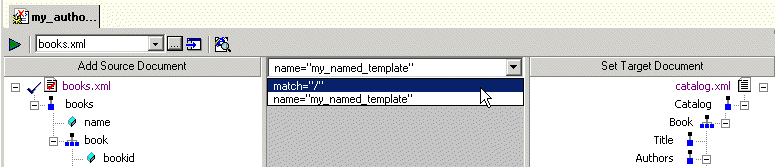
Home >Online Product Documentation >Table of Contents >What Happens When You Create a Template What Happens When You Create a TemplateWhen you create a template, Stylus Studio switches the XSLT mapper to the new template. The attributes identifying the template you are currently viewing are displayed in the template drop-down list at the top of the mapper canvas. You can change the template view at any time, by selecting the template from the drop-down list, as shown in Figure 236. |

Getting EDI to XML and back to EDI Again: Round Trip Engineering using Stylus Studio URL Adapters
A free online video demonstration shows how to use Stylus Studio's Adapter URL technologies to convert EDI to XML and back again. Convert, validate, view and edit EDIFACT data directly in Stylus Studio.
Validate XML Using XSD
You can validate XML documents against any data model defined using W3C XSD, using any major XSD Validator, including MSXML 3.0, MSXML 4.0, MSXML 6.0, Xerces-J, Xerces-C, Microsoft System.XML (1.0 and 2.0), XSV, the Saxonica XSD Validator and others.
XSLT Mapper
Simplify XSLT mapping with the Stylus Studio XSLT Mapper - supports multiple data sources, round-trip engineering (synchronized editing views), XSLT function blocks, integrated XSLT preview and more.
XML Editing Views
Stylus Studio includes three synchronized XML editing views: Text View, Tree View, and Grid View, allowing you to work with and edit XML documents in whatever way suits you best.