Cart
Cart
|
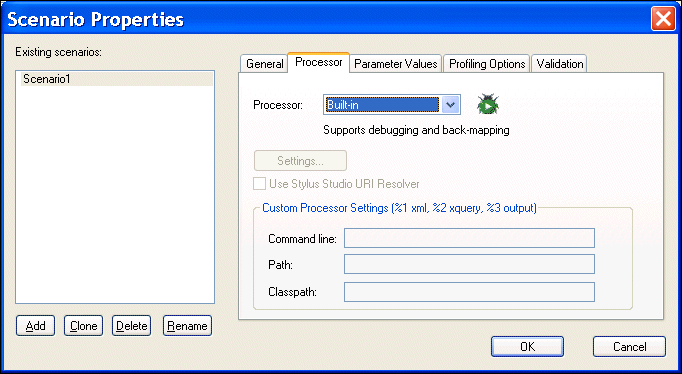
Home >Online Product Documentation >Table of Contents >Selecting an XQuery Processor Selecting an XQuery ProcessorYou use the Processors tab of the Scenario Properties dialog box to specify the processor you want to use to process your XQuery code. You can use
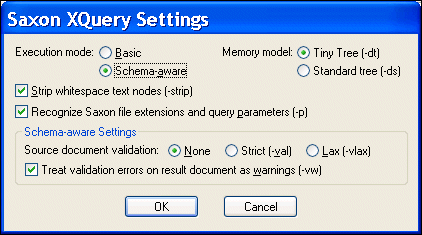
Using the Saxon ProcessorStylus Studio lets you execute XQuery using either the Saxon-B (basic) or Saxon-SA (schema-aware) processor. You specify which processor you want to use with the Execution mode property in the Saxon XQuery Settings dialog box. Settings that have command line equivalents in Saxon show the command in parentheses following the property name. Some settings are available only if you are using Saxon-SA. Stylus Studio's Sense:X syntax coloring and auto-completion provides full support for Saxon syntax, so long as the Saxon XQuery processor is either associated with the current XQuery scenario or has been set as the default XQuery processor. If you want to use the Saxon processor:
1. On the Processors tab, click Saxon.
The Settings button becomes active.
2. Click the Settings button.
The Saxon XQuery Settings dialog box appears.
3. Complete the settings as desired. Press F1 to access the Stylus Studio online help, or refer to the Saxon documentation for more information.
4. Click OK.
Using the TigerLogic XDMS ProcessorStylus Studio's Sense:X syntax coloring and auto-completion provides full support for TigerLogic XDMS syntax, so long as the TigerLogic XDMS XQuery processor is either associated with the current XQuery scenario or has been set as the default XQuery processor. If you want to use the TigerLogic XDMS processor:
1. Click TigerLogic XDMS.
The Settings button becomes active.
2. Click the Settings button.
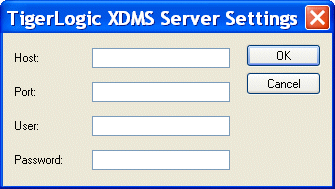
The TigerLogic XDMS Server Settings dialog box appears.
3. Enter the host, port, username, and password information for the server on which the TigerLogic XDMS is running.
4. Click OK.
|

XML PRODUCTIVITY THROUGH INNOVATION ™