Cart
Cart|
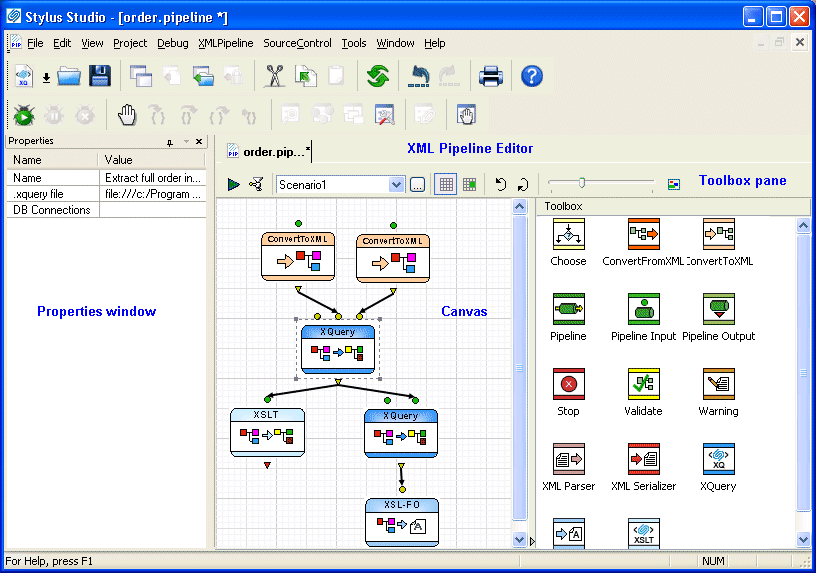
Home >Online Product Documentation >Table of Contents >The XML Pipeline Editor The XML Pipeline EditorThe XML Pipeline Editor is the visual editing tool you use to create, execute, and debug XML pipelines in Stylus Studio. You build an XML pipeline in the XML Pipeline Editor using simple drag-and-drop actions - to add an XQuery query to an XML pipeline, for example, you can drag an XQuery file from the Project window and drop it on the XML Pipeline Editor canvas. You can also use tools from the Toolbox pane to add nodes to your XML Pipeline. The Properties window allows you to specify settings for the node (default input and output values, for example). You can also use the XML Pipeline Editor to This section covers the following topics: |

XML PRODUCTIVITY THROUGH INNOVATION ™