 Cart
Cart
|
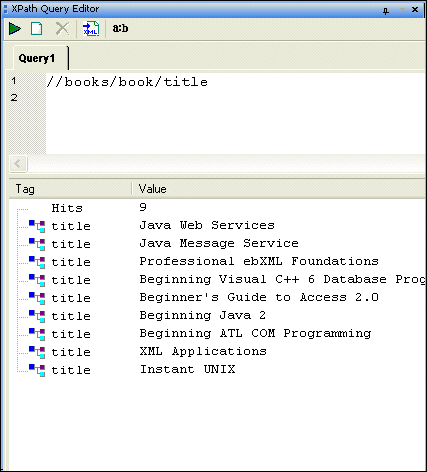
Home > Online Product Documentation > Table of Contents > Working with Query Results Working with Query ResultsQuery results are shown in the XPath Query Editor in the results pane as a number of hits and include the type of XML tag and value of each hit, as shown here.
When you click on a result node, Stylus Studio's back-mapping feature highlights the line in the XML document that supplied the value for the result node you selected. Opening Query Results as a New Document
After you have executed a query, you can optionally choose to display the query result in a new XML document. If the result contains only elements, Stylus Studio creates a root element (named <
To open a query result as an XML document:Execute the query, and then Alternative: |

XML PRODUCTIVITY THROUGH INNOVATION ™
 ).
).


