Cart
Cart|
Home > Online Product Documentation > Table of Contents > The Convert to XML Editor The Convert to XML Editor
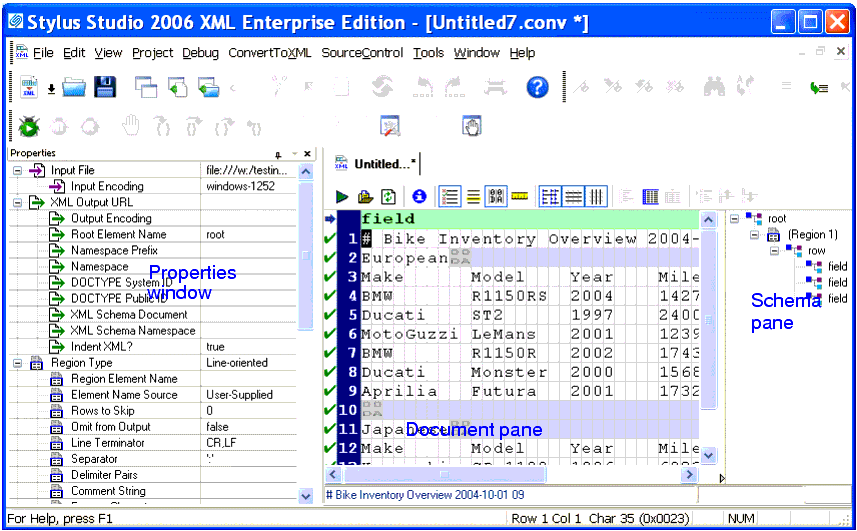
You use the Convert to XML Editor, shown here, to build an adapter. The Convert to XML Editor appears when you create a new adapter, or open an existing one (a
The input file is displayed in a document pane; properties that both describe the existing file (encoding and size, for example) and define the XML output that will be generated when converting this file (root and field element names, and whether or not you want the XML to be indented, for example) are displayed in the Properties window. The schema pane shows a representation of the XML Schema that will be output for the converted file. Finally, in addition to current row and column position, note that the status bar also shows the Unicode value of the current character. This section describes the main features of the Convert to XML Editor, including how it interacts with the adapter engine. This section covers the following topics: |

XML PRODUCTIVITY THROUGH INNOVATION ™