|
Home > Online Product Documentation > Table of Contents > Using the Grid Tab Using the Grid Tab
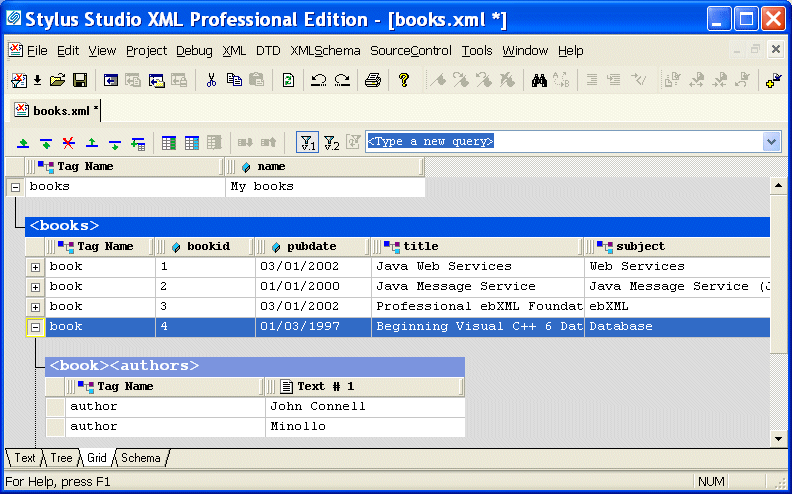
The Grid view of an XML document is useful for structured data - it is a convenient way to view and work with documents that contain multiple instances of the same type of element.
This section describes the features of the Grid tab and how to use it to edit XML documents. This section covers the following topics:
A complete list of the videos demonstrating Stylus Studio's features is here: http://www.stylusstudio.com/xml_videos.html. |

Electronics & Electrical Equipment
Many electronics and electrical equipment companies need the most powerful XML IDE to power up their companies. Come see which electronics & electrical equipment companies are wired up with Stylus Studio 2006.
DTD Parser
Learn about the powerful DTD parser technologies that are supported in Stylus Studio's DTD tools, including DOM and SAX based DTD parsing components.
Java XML Parser
Stylus Studio's support for Java XML Parser is able to Validate XML Using any Java XML Parser, Edit, Debug, Profile and Map XSLT using any Java XSLT Processor, Create PDF files Using Apache FOP, hand have Support for Microsoft XML Parsers as well.
DTD vs. Schema
Stylus Studio provides tools for working with both W3C XML Schema and DTD's - this tutorial explains what the differences are between the two, providing a technical comparison of DTD vs Schema.