|
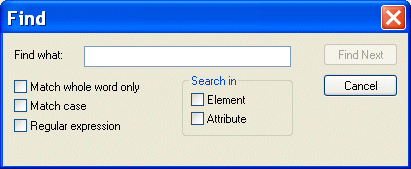
Home > Online Product Documentation > Table of Contents > Searching Document Panes Searching Document PanesYou can search document panes using the Find dialog box.
You can restrict your search to elements and/or attributes, and you can even search using regular expressions to define your match pattern. To display the Find dialog box:
1. Right-click in the document pane.
2. Select
Find from the shortcut menu.
|

Accessing Relational Databases as XML with Stylus Studio's File Explorer
This demonstration is the first part of our series on working with relational and XML data, covering how to use Stylus Studio's File Explorer to connect to and query relational database tables as XML.
XML Videos
Stylus Studio online XML video demonstrations illustrate how easy it is to learn advanced XML editing techniques. Now playing: Java Code Generation, Convert to XML, Grid View, and many other informative video demonstrations.
XSL-List
The XSL-List forum is a valuable learning resource for the Extensible Stylesheet Language (XSL), covering the XSL specification, XSL processor implementations, and XSL user questions. Get this free XSL resource delivered to your inbox today.
Getting EDI to XML and back to EDI Again: Round Trip Engineering using Stylus Studio URL Adapters
A free online video demonstration shows how to use Stylus Studio's Adapter URL technologies to convert EDI to XML and back again. Convert, validate, view and edit EDIFACT data directly in Stylus Studio.