Tool Bar Groups

Tool bars are organized by functional group within Stylus Studio (Default, Edit, Source Control, and so on). Customizations available for these groups include

  • Show/hide
  • Look, feel, and size
  • Group position

Tip


Tool bars are docking windows - you can drag them anywhere on your desktop.

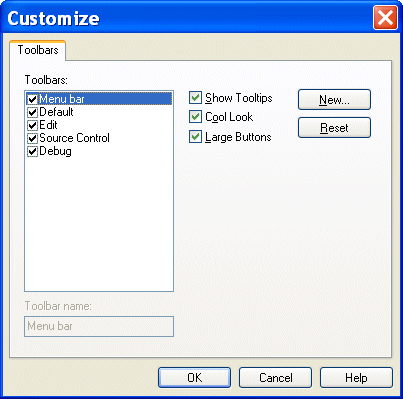
You control all these customizations from the Toolbars tab of the Customize dialog box.

Figure 113. Toolbars Tab of Customize Dialog Box

To display the Customize dialog box, select Tools > Customize from the menu.

XQuery Mapper

Stylus Studio has the industry's only XQuery mapper, enabling you to develop sophisticated XML mappings consisting of queries and data transformation in an intuitive, visual manner.

XML Processing

Learn how to simplify XML Processing using Stylus Studio XML Pipeline, the easiest way to visually design and deploy virtually any XML processing tasks.

Validate XML Using XSD

You can validate XML documents against any data model defined using W3C XSD, using any major XSD Validator, including MSXML 3.0, MSXML 4.0, MSXML 6.0, Xerces-J, Xerces-C, Microsoft System.XML (1.0 and 2.0), XSV, the Saxonica XSD Validator and others.

Web Service Data Mapping

Stylus Studio makes it possible for you to use Web services as live XML data sources for XML mapping projects.

Stylus Most Wanted

 
Free Stylus Studio XML Training:
W3C Member