Cart
Cart
|
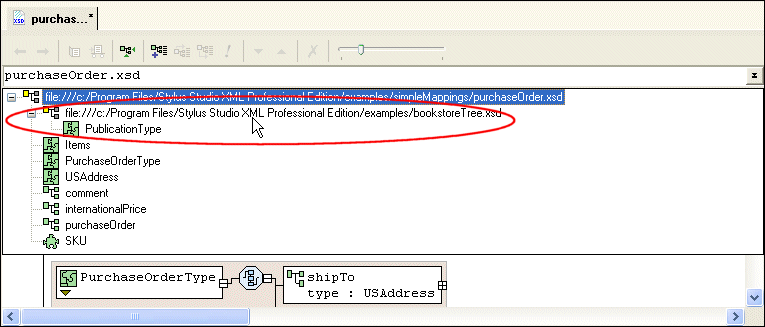
Home > Online Product Documentation > Table of Contents > Where You Can Reference XML Schemas Where You Can Reference XML SchemasYou can reference external XML Schemas in the Tree or Diagram tabs. In the text pane of the Diagram tab and the Tree tab, Stylus Studio displays the referenced XML Schema, but they do not display its contents. For example, in the Tree view, you cannot expand the node for an included XML Schema. In the Diagram tab, Stylus Studio displays complete information for any definitions in referenced XML Schema. You can toggle between diagram views of the base and referenced XML Schemas using the definition browser.
If you select a referenced schema from the definition browser, as shown in Figure 290, Stylus Studio changes the diagram view to display the referenced schema's structure. If you selected a redefined XML Schema, for example, you could modify its complexType definitions there. What to Do NextIf you redefine an XML Schema (as opposed to including or importing one), you can redefine nodes after referencing the XML Schema. See Redefining Nodes for more information. |

XML PRODUCTIVITY THROUGH INNOVATION ™