Cart
Cart
|
Home > Online Product Documentation > Table of Contents > Viewing Sample XML Viewing Sample XML
You can view a sample of the XML represented by a node in the XML Schema
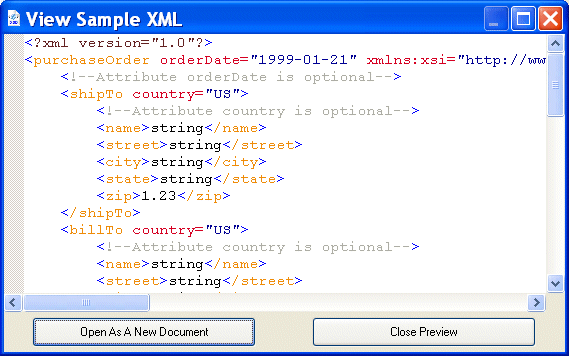
Diagram tab. For example, here is a sample of the XML represented by the
If you want, you can create a new XML document based on this fragment by clicking the Open as New Document button.
To view sample XML:
1. In the
Diagram tab, select the node for which you want to see sample XML.
2. Select
Diagram > View XML Sample from the Stylus Studio menu.
Alternative: Select View XML Sample from the node's shortcut menu (right-click to display). The View Sample XML dialog box appears. (See Figure 276.)
3. If you want to open this sample as a new XML document in Stylus Studio, click the
Open as a New Document button. Otherwise, click
Close Preview.
|

XML PRODUCTIVITY THROUGH INNOVATION ™