Cart
Cart
|
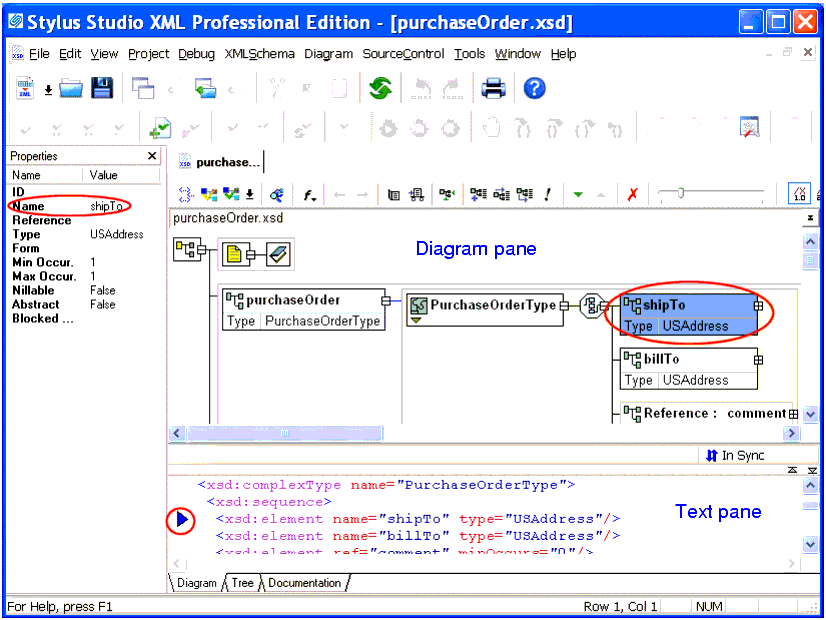
Home > Online Product Documentation > Table of Contents > Views in the XML Schema Editor Views in the XML Schema EditorThe XML Schema Editor has Diagram, Tree, and Documentation tabs. The Diagram tab, which is the default for the XML Schema Editor, is shown in Figure 273.
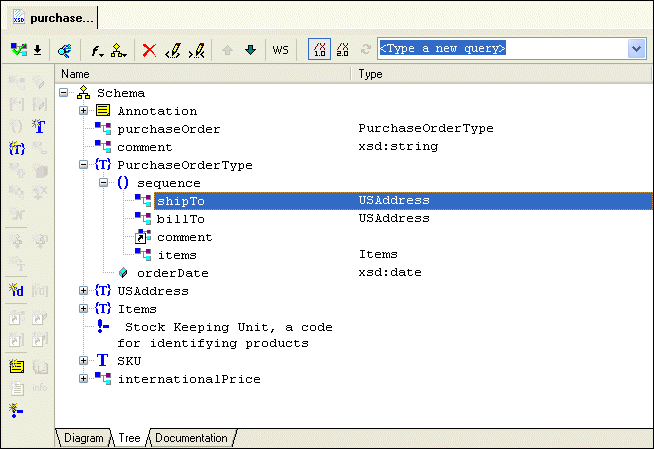
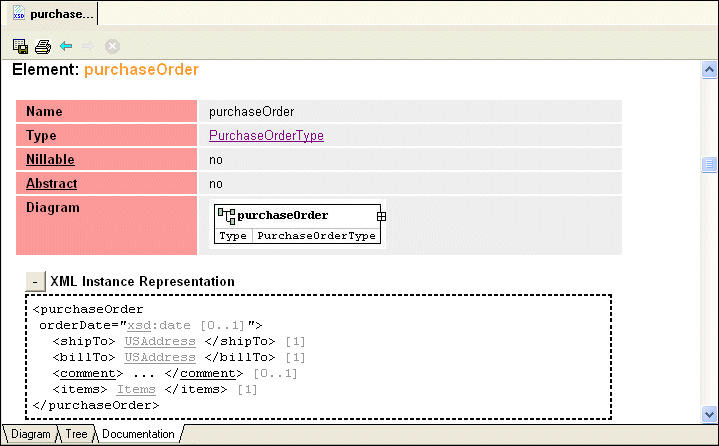
Each tab displays the schema from a unique perspective, as summarized here:
In addition to the diagram pane, the Diagram tab includes a text pane. The text pane displays the raw XML text used to define the XML Schema, and lets you see how the changes you make in the diagram affect the XML Schema text. You can make changes in either pane - to a node in the diagram, or directly to the text - Stylus Studio keeps both views synchronized. The Diagram tab has a full complement of editing tools, including checkers for well-formedness and validation, as well as a query functionality that lets you evaluate your query using either XPath 1.0 or XPath 2.0. XML Schema query is also supported in the Tree tab. See Printing to learn how to print information in the Diagram tab.
In Stylus Studio, the information in all tabs synchronized automatically. Generally speaking, if you are just getting started with XML Schema you should consider using the Diagram tab to work with XML Schema in Stylus Studio. Its graphical user interface makes defining XML Schema easy and error-free, and the built-in text pane, which lets you see how new nodes are rendered in XML, can be a useful learning tool. To get started using the Diagram view to define an XML Schema, see Defining an XML Schema Using the Diagram Tab - Getting Started. Procedures for working with the Diagram tab are also covered throughout this chapter. |

XML PRODUCTIVITY THROUGH INNOVATION ™