Cart
Cart
Home > XML IDE - XML Editor > Screenshots > Opening an OASIS


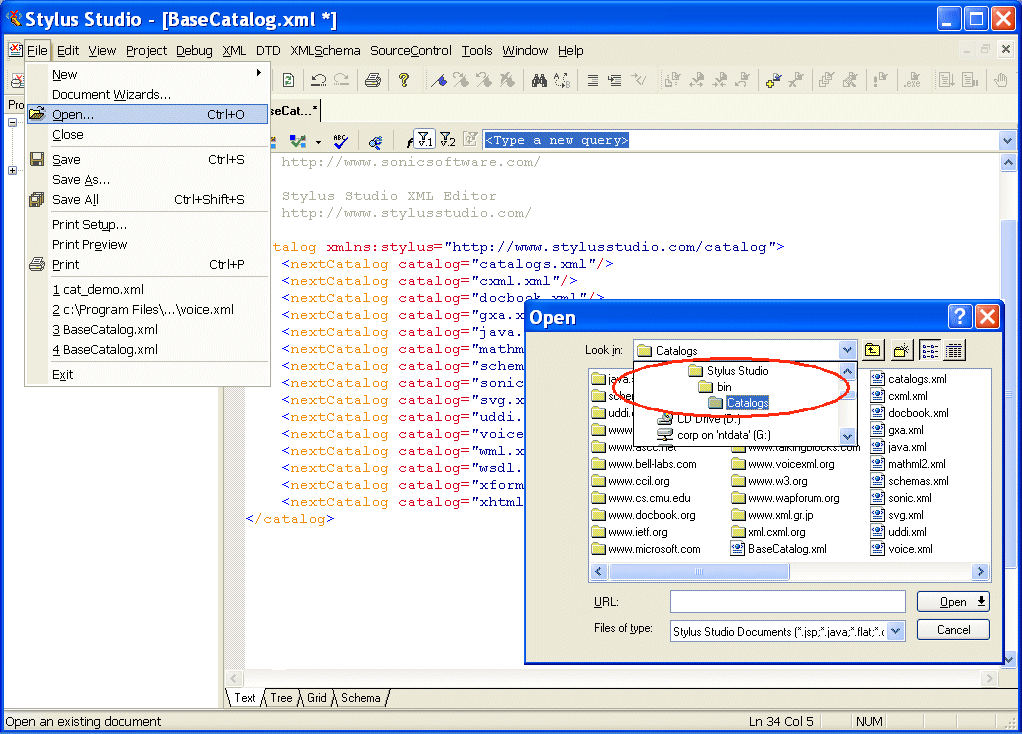
Opening an OASIS Screenshot
Make sure your XML is correct and complete by validating it against any XML Schema or DTD. Using Stylus Studio®'s class-leading support for OASIS catalogs, you can easily incorporate industry schemas and DTDs from the W3C, Sun, Microsoft; the industry-specific XML vocabularies like DocBook, Accord, FIXML, etc., and others. In fact, Stylus Studio® is installed with catalogs from dozens of such vendors. Use Stylus Studio®'s Base Catalog, with built-in references to over one dozen catalogs; link to any of the catalogs installed with Stylus Studio®; create your own catalog using Stylus Studio®'s intuitive User-Defined Catalog Wizard; or use another Stylus Studio® Wizard to convert a plain-test catalog to XML. Add to this Stylus Studio®'s project-level features for incorporating and managing catalogs, and you can be confident that your XML adheres to the standards that are appropriate for your application. Learn more OASIS XML Catalogs in this new tutorial which describes what OASIS Catalogs are and how to use them.