Cart
Cart|
|
Home > Online Product Documentation > Table of Contents > Setting a Text Value Setting a Text ValueYou can set text values for target structure elements and attributes. You might want to do this if you are composing a mapping whose target structure contains an element or attribute that requires a fixed value, instead of using a value gathered from an input XML document. Example
Here is the XSLT code Stylus Studio generates for the
Stylus Studio displays a red letter T for nodes for which you define a text value:
There are two ways to set a text value: How to Set a Text Value on the Mapper CanvasTo set a text value on the mapper canvas:
1. Right-click on the mapper canvas.
The shortcut menu appears.
2. Select
Text Block from the shortcut menu.
The text block appears on the mapper.
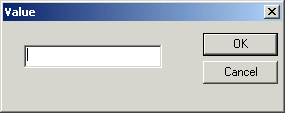
Double-click the text block to display the Value dialog box.
3. Type a value and click
OK.
4. Drag a link from the text block's output port to the target node to which you want to assign the text value.
How to Set a Text Value on the Target NodeTo set a text value on a target node:
1. Right-click the node for which you want to set the text value.
The shortcut menu appears.
2. Select
Set Text Value from the shortcut menu.
The Value dialog box appears.
3. Type the string you want to use as the text value and click
OK.
|

XML PRODUCTIVITY THROUGH INNOVATION ™