Cart
Cart
|
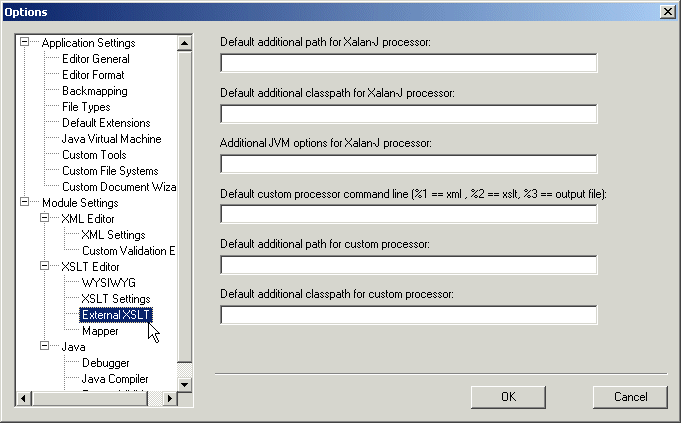
Home > Online Product Documentation > Table of Contents > Options for Using External Processors Options for Using External ProcessorsIf you want, you can specify external XSLT processor options that Stylus Studio uses whenever you specify the use of a particular external processor in a scenario. If you use a particular external processor frequently, and you specify default values in the external XSLT options page, you do not need to enter the information for each scenario. You would just need to indicate which processor you want to use. If you specify default values and you then specify different values in a scenario's properties, the scenario properties override the defaults. To set external XSLT processor options:
1. From the Stylus Studio menu bar, select
Tools
>
Options.
Stylus Studio displays the Options dialog box.
2. Expand
Module Settings and
XSLT Editor.
3. Click
External XSLT.
4. Edit the options.
5. Click
OK.
Xalan-J XSLT Processor OptionsFor the Xalan-J XSLT processor, you can specify any of the following: Custom XSLT Processor OptionsFor a custom XSLT processor, you can specify any of the following: |

XML PRODUCTIVITY THROUGH INNOVATION ™