|
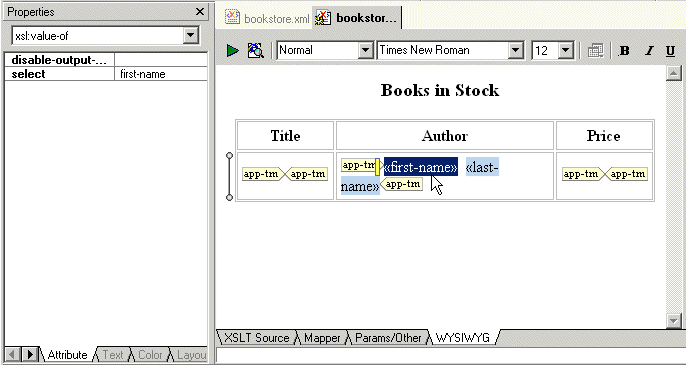
Home > Online Product Documentation > Table of Contents > Specifying Properties and Attributes in the HTML Editor Specifying Properties and Attributes in the HTML EditorThe Properties window displays the properties for the location you click in the HTML canvas. The immediately visible properties are for the element that directly contains the location you clicked.
In the Properties window, click the down arrow to display a list of the elements that enclose the element that directly contains the location you clicked. The elements are listed from innermost to outermost. Click an element to display its properties. |

XML Schema Library
The Stylus Studio XML Schema Library provides a detailed reference of many of the world's most commonly used XML vocabularies in an easy-to-read format.
XML File Explorer
The XML File Explorer provides a productive, consistent, and easy-to-use interface for working with any data sources (relational data, EDI, binary, XML, CSV, and more) used in enterprise data integration projects.
Metals, Mining & Crude-Oil Production
It can be very dark and dreary in a mine. That's why metal, mining & crude-oil production are using Stylus Studio as their light when it comes to data integration. See which of these top companies are using Stylus Studio to show them the way to XML!
SQL Server Tools
Integrated SQL Server Tools in Stylus Studio enable you to access relational data stored in SQL Server 2000 or SQL Server 2005 as XML using XQuery, SQL/XML or ADO - learn how to export relational data as XML today!