Cart
Cart
|
Home > Online Product Documentation > Table of Contents > Defining attributeGroups in XML Schemas - Diagram View Defining attributeGroups in XML Schemas - Diagram ViewYou define attributeGroups in much the same way that you define element groups - by creating the attributes you want to add to the attributeGroup, creating the attributeGroup, and then dragging-and-dropping the attributes in the attributeGroup. As with element groups, you can define the attributeGroup first and then add new attributes to it, if you prefer. The following procedure describes how to create an attributeGroup by creating the attributes at the same time you create the attributeGroup. To define an attributeGroup:
1. Right-click the
schema node
 .
.
2. In the shortcut menu, select
Add >
AttributeGroup.
Alternatives: This operation is also available from the
XMLSchema >
Diagram >
Add > AttributeGroup menu and from the
Add button
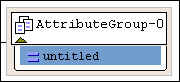
The new attributeGroup is added to the XML Schema. It is displayed in the diagram and in the text pane (if you have it open). The properties for the new attributeGroup are displayed in the Properties window.
3. Right-click the new attributeGroup.
4. In the shortcut menu that appears, select
Add >
Attribute.
The new attribute is added to the attributeGroup.
5. Make sure the new attribute is selected. In the
Properties window, click the
Data Type field.
6. Enter or select the type of the attribute.
|

XML PRODUCTIVITY THROUGH INNOVATION ™
 .
.