Cart
Cart
|
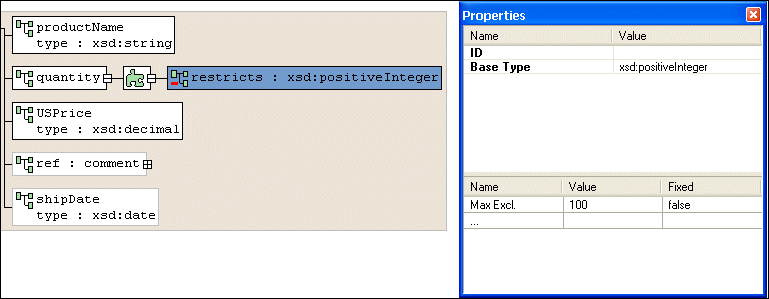
Home > Online Product Documentation > Table of Contents > Node Properties Node PropertiesThe Properties window is available when you are using the Diagram or Tree tab of the XML Schema Editor. To display the properties for a given node, just click the node. If you have selected a restricted node from a redefined XML Schema, Stylus Studio displays a separate section in the lower half of the Properties window for you to specify the facets, as shown in Figure 213.
If the Properties window is not visible, select View > Properties from the menu.
To change the value of a property, click the property field and enter the new value. If only certain values are allowed, Stylus Studio displays a drop-down list of the valid choices. Each type of node has its own set of properties. For a description of each property, see About XML Schema Properties. |

XML PRODUCTIVITY THROUGH INNOVATION ™