|
Home >Online Product Documentation >Table of Contents >Creating a Template That Matches the book Element Creating a Template That Matches the book ElementThis topic is part of a sequence that starts with Creating a New Sample Stylesheet.
The template that matches the root node includes an To define the template that matches the book element:
1. In the XSLT editor source document tree pane, expand the bookstore element.
2. Double-click the book element.
Stylus Studio creates a template that matches the
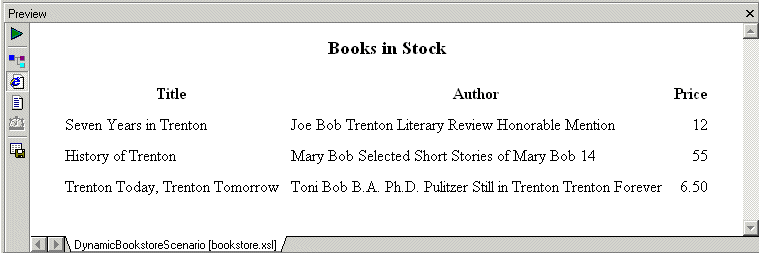
3. In the XSLT editor pane, add the following instructions to the new template's body: Press F5 to see the results. The result document looks like that shown in Figure 197:
In the |

XSL and XSLT Tools
XSLT tools in Stylus Studio let you easily edit, debug, design and profile XSLT stylesheets using a powerful and intuitive graphical user interface.
SQL/XML Tutorial
Many developers need to be able to write applications that work for databases from multiple vendors. This SQL/XML Tutorial refers to SQL/XML, XQuery, and Native XML Programming Languages to do just that.
Web Service Testing Tools
The Stylus Studio Web Service Tester allows you to easily locate, build references to, and test Web services for XML applications based on WSDL, SOAP, and UDDI standard Web service technologies.
Web Service Data-to-XML Mapper
Stylus Studio provides a powerful standards-based solution for accessing and transforming live Web service XML data. Intuitive tools like the Web Service Call Composer and UDDI Browser make developing Web service applications a snap.