Cart
Cart
|
Home >Online Product Documentation >Table of Contents >How to Generate XQuery Documentation How to Generate XQuery DocumentationTo generate XQuery documentation:
1. Optionally, annotate your XQuery code as described in Syntax and Usage.
2. Save the XQuery.
3. Click XQuery > Generate xqDoc.
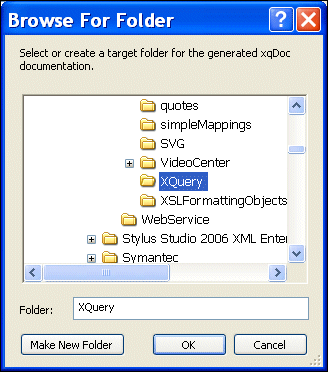
Stylus Studio displays the Browse for Folder dialog box, which allows you to choose where you want to save the XQuery documentation. By default, Stylus Studio selects the directory to which the XQuery is saved. After that, Stylus Studio uses the last location to which you saved the XQuery documentation.
4. Optionally, change the location to which you want to save the XQuery documentation.
5. Click OK.
Stylus Studio displays processing information in the Output window. A new Internet browser is launched; the XQuery documentation is displayed in this browser.
6. If you have not already done so, enable ActiveX controls for the browser window displaying the xqDoc report.
|

XML PRODUCTIVITY THROUGH INNOVATION ™