|
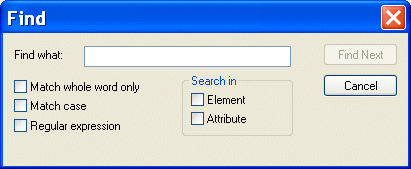
Home >Online Product Documentation >Table of Contents >Searching Document Panes Searching Document PanesYou can search document panes using the Find dialog box. You can restrict your search to elements and/or attributes, and you can even search using regular expressions to define your match pattern. To display the Find dialog box:
1. Right-click in the document pane.
2. Select Find from the shortcut menu.
|

Converting Custom EDI Message Types to XML
Vital and valuable legacy data locked in proprietary EDI files? See how to use DataDirect XML Converters™ custom EDI message type tools to convert nonconformant EDI to XML.
XQuery API for Java (XQJ)
DataDirect XQuery is an embeddable software product based on the XQuery and XQJ standards that enables Java developers to access both relational and XML data sources using a single XQuery query. Runs on Oracle, SQL Server, DB2, and more!
Biotechnology & Pharmaceuticals
Leading biotechnology & pharmaceuticals companies take Stylus Studio when they are feeling under the weather. Come see for yourself how Stylus Studio can be a pick me up for your biotechnology or pharmaceutical company.
EXSLT Tools
EXSLT support in Stylus Studio lets you extend XSLT 1.0 stylesheets and simplify many tasks including computing dates and times, performing mathematical computations, string manipulations and more.