Cart
Cart
|
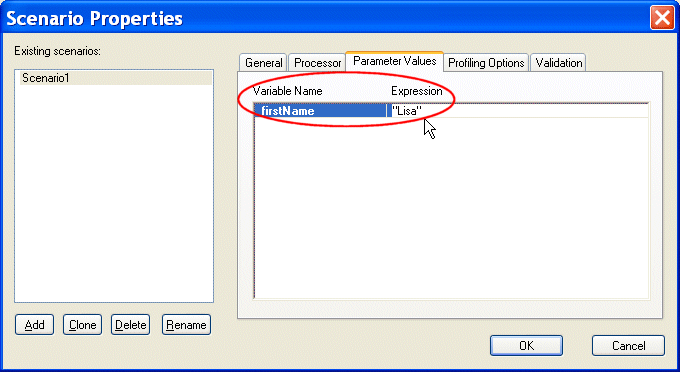
Home >Online Product Documentation >Table of Contents >Generating XML Output with XQuery Generating XML Output with XQuerySo far all the queries we have written have selected nodes in the source document. We have shown the results as if the system copies the nodes to create some kind of result document, and if you execute the XQuery in Stylus Studio or run Saxon from the command line that is exactly what happens. But this is simply a default mode of execution. In a real application you want control over the form of the output document, which might well be the input to another application - perhaps the input to an XSLT transformation or even another query. XQuery allows the structure of the result document to be defined using an XML-like notation. Here is an example that fleshes out our previous query with some XML markup: We have also changed the query so that the actor's first name is now an externally defined parameter. This makes the query reusable. The way parameters are supplied varies from one XQuery processor to another. In Stylus Studio, select XQuery > Scenario Properties; click the Parameter Values tab, and Stylus Studio provides an area to specify values for any variables defined in the XQuery.
Enter "Lisa", in quotes (Stylus Studio expects an expression, so if the quotes are omitted, this value would be taken as a reference to an element named If instead you are running Saxon from the command line, you can enter: Either way, our XQuery returns the following result: As you might recall from our previous XQuery, this version of the XQuery is not especially well-designed as it returns videos featuring different actresses named Lisa. Take some time and modify the XQuery to see if you can improve it. |

XML PRODUCTIVITY THROUGH INNOVATION ™