|
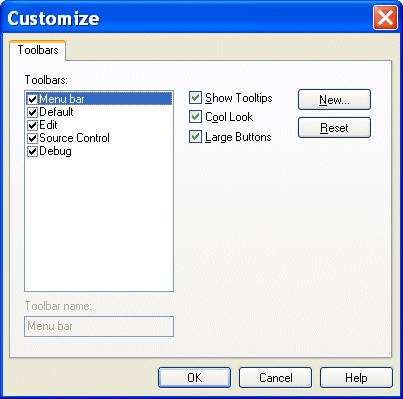
Home >Online Product Documentation >Table of Contents >Tool Bar Groups Tool Bar GroupsTool bars are organized by functional group within Stylus Studio (Default, Edit, Source Control, and so on). Customizations available for these groups include You control all these customizations from the Toolbars tab of the Customize dialog box. To display the Customize dialog box, select Tools > Customize from the menu. |

XQuery Debugger
The Stylus Studio XQuery Debugger allows you to set breakpoints and step through the evaluation of any XQuery expression in a way that gives you complete control and visibility into the XQuery expression evaluation process.
Varying Record Layout to XML
Not every row in a text file has to have the same layout. Convert to XML has advanced pattern-recognition tools to route the data to where it belongs.
The Stylus Studio Advantage
Read in their own words, why customers have decided to make the switch to Stylus Studio, the World's best XML editor.
XQuery Integration
Learn how new XQuery technologies can simplify legacy data integration by leveraging industry standards, proven open-source XML processing components, and Stylus Studio's integrated XQuery & XML tools.