Cart
Cart
|
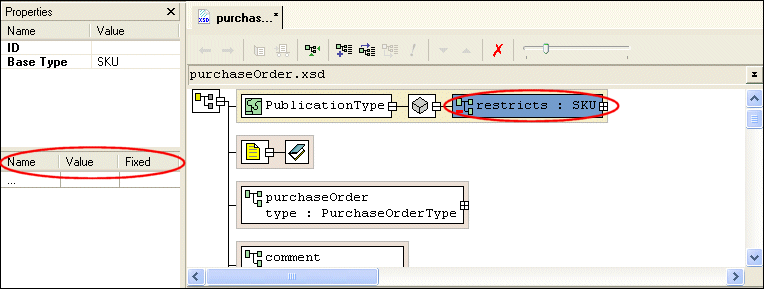
Home >Online Product Documentation >Table of Contents >Redefining Nodes Redefining NodesOnce you reference an XML Schema by redefining it, you are able to redefine that XML Schema's complexTypes, simpleTypes, groups, and attributeGroups. This section describes how to redefine nodes using the Diagram tab. Extensions and RestrictionsThere are two ways to redefine a node: by extension and restriction. An extension extends the base type - adding an element or an attribute definition, for example. A restriction constrains the base type - limiting a type to a certain range of values, for example. Specifying Restriction FacetsIf you define a restriction using a simpleType, the Properties window displays a section that allows you to define the facets that restrict that type, as shown in Figure 270.
Restriction facets include See About Facet Types for simpleTypes for more information on facets. How to Redefine a NodeTo redefine a node in the Diagram view:
1. Right-click the schema node  .
.
2. Select Redefine from the shortcut menu.
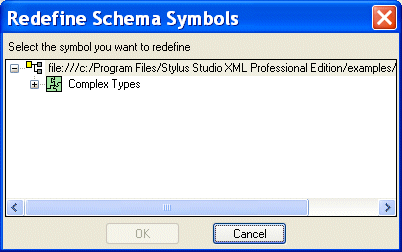
The Redefine Schema Symbols dialog box appears.
3. Select the node from the redefined XML Schema you want to redefine and click OK.
The redefined node is added to the diagram, and the text for the redefined node appears in the text pane. For example,
4. Right-click the redefined node.
5. From the shortcut menu, select Quick Edit > and then either Derive by extension or Derive by restriction.
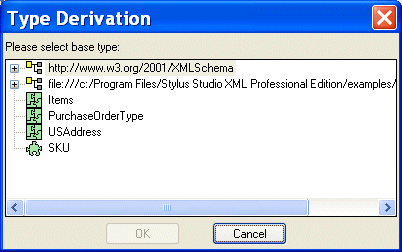
The Type Derivation dialog box appears.
6. Select the base type from which you want to derive the definition of the node you are redefining. and click OK.
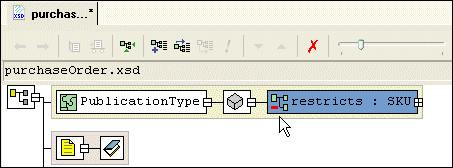
The node you added in Figure 3 is modified in the diagram to display the restriction or extension you are using to redefine it, as shown in Figure 273. The code displayed in the text pane is also modified. For example:
7. If you specified a restriction of a simpleType, specify the restriction facets in the Properties window. See Specifying Restriction Facets if you need help with this step.
|

XML PRODUCTIVITY THROUGH INNOVATION ™