Profiling XSLT Stylesheets


The XSLT Profiler is available only in Stylus Studio XML Enterprise Edition.

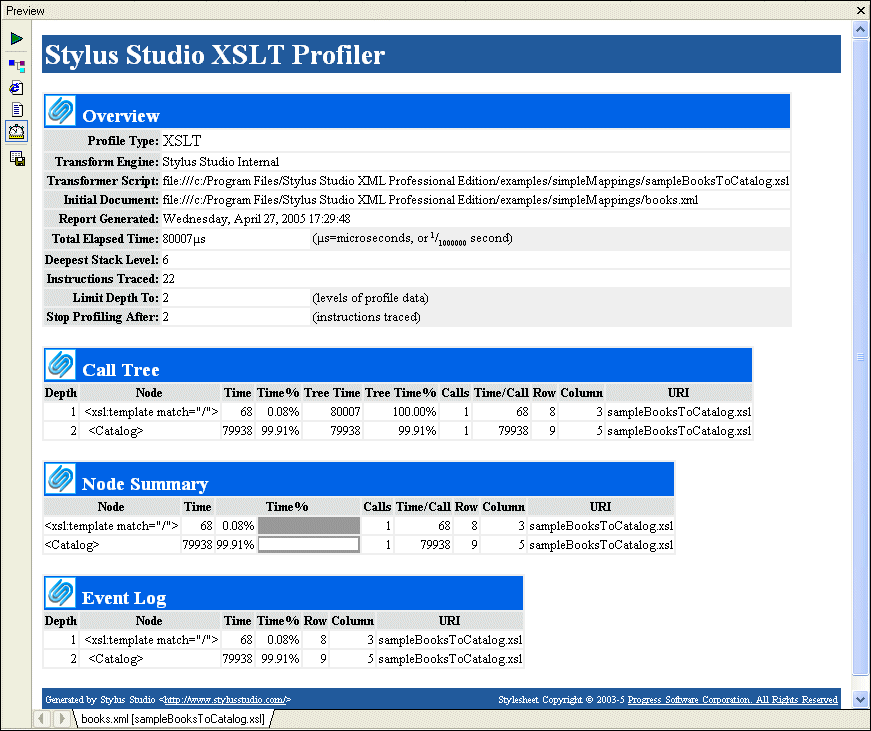
In addition to debugging tools for XSLT, Stylus Studio provides the XSLT Profiler, a tool that helps you evaluate the efficiency of your XSLT. By default, the performance metrics gathered by the XSLT Profiler are displayed in a preformatted report, like the one shown Figure 259:

Figure 259. XSLT Profiler Report

The report format is controlled by the default XSLT stylesheet, profile.xsl, in the \Stylus Studio\bin directory. You can customize this stylesheet as required. You can save XSLT Profiler reports as HTML.

Note


XSLT and XQuery Profiler reports use the same XSLT stylesheet.

In addition to generating the standard XSLT Profiler report, you can save the raw data generated by the Profiler and use this data to create your own reports. See Enabling the Profiler for more information about this procedure.


Watch it! You can view a video demonstration of this feature by clicking the television icon or by clicking this link: watch the XSLT Profiling video.

A complete list of all the videos demonstrating Stylus Studio's features is here: http://www.stylusstudio.com/xml_videos.html.

XML Document Wizards

Stylus Studio XML Document Wizards help you easily convert EDI, flat files, and other document formats to industry-standard XML.

XML Schema Quality Checker

Use IBM's alphaWorks XML Schema Quality Checker to check the quality and style of your XML schema documents. Fully integrated with the Stylus Studio XML Schema Editor and XML validator.

Configuring the Java Runtime Engine or Java Development Kit

This page identifies the Stylus Studio modules that require Java runtime and Java compiler components, where you can download these Java components, and how to force Stylus Studio to detect new or changed Java components.

Stylus Most Wanted

 
Free Stylus Studio XML Training:
W3C Member