|
|
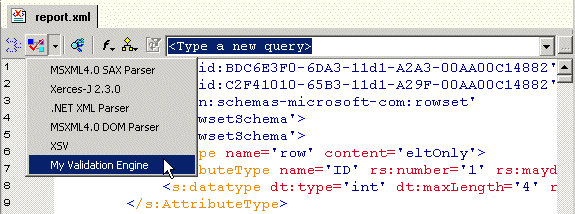
Home > Online Product Documentation > Table of Contents > Custom XML Validation Engines Custom XML Validation EnginesStylus Studio supports several XML validation engines, including the MSXML4.0 SAX Parser, Xerses-J 2.3.0, and .NET XML. The custom validation engine feature lets you register your own XML validation engine with Stylus Studio. Custom validation engines are added to the Validate Document drop-down list in the XML Editor once you register them with Stylus Studio, as shown in Figure 397.
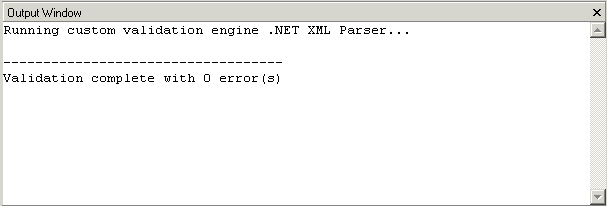
Output for custom validation engines is displayed in Stylus Studio's Output Window. Output for other custom applications, such as that created by the custom document wizard, is also displayed in Stylus Studio's Output Window.
|

Translating XML documents to X12
In-place, via XSLT and via XQuery are all mechanisms supported for converting XML to X12
Microsoft .NET XML Tools for System.XML 1.0 and System.XML 2.0
Stylus Studio features integrated XML validation, XSLT transformation and XSLT debugging using the official Microsoft .NET XML processing components: System.XML 1.0 and System.XML 2.0.
XML Notepad
XML Notepad simplifies building of XML applications, allowing authors to rapidly build and edit their XML files. With XML Notepad, you can create XML document prototypes quickly, easily, using an intuitive graphical interface.
Getting EDI to XML and back to EDI Again: Round Trip Engineering using Stylus Studio URL Adapters
A free online video demonstration shows how to use Stylus Studio's Adapter URL technologies to convert EDI to XML and back again. Convert, validate, view and edit EDIFACT data directly in Stylus Studio.