Home >
Online Product Documentation >
Table of Contents >
Options That Determine Contents of XML Schema Documentation
Options That Determine Contents of XML Schema Documentation
Stylus Studio provides options that you can set to specify the title and contents of the generated report. Click
Options
 in the
Documentation tab tool bar. Stylus Studio displays the
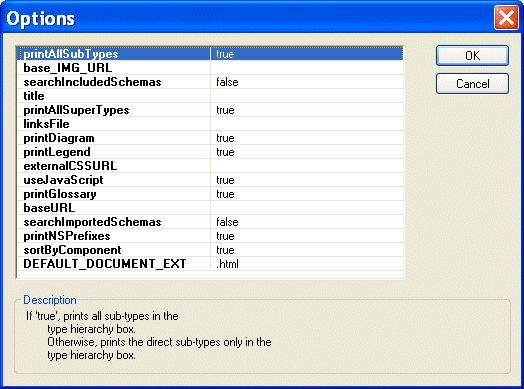
Options dialog box.
in the
Documentation tab tool bar. Stylus Studio displays the
Options dialog box.
|
|
Figure 233. Options for the XML Schema Documentation Report
Edit the settings based on the desired output:
- To specify the title you want to appear in the report itself, modify the contents in the
Title field.
-
Sort by Component displays information in alphabetical order by type name. When you turn this property off, information appears in document order.
-
Use JavaScript makes it easy for you to add instructions such as for popping up windows and hiding information to the generated HTML document.
- Inclusion in the report of
- Supertypes
- Subtypes
- Glossary
- Legend
-
xsd namespace prefix
- Schema diagrams
 Cart
Cart