Cart
Cart
Home > XML IDE - XML Editor > Screenshots > Converting to XML


Converting to XML
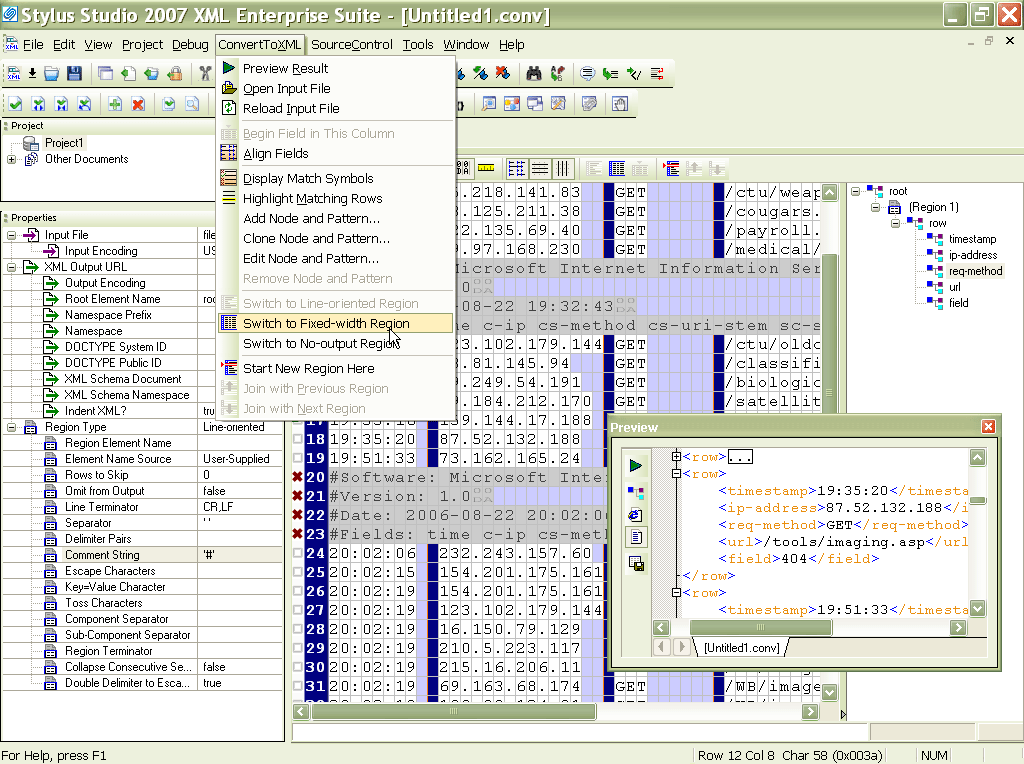
Stylus Studio® XML Enterprise Suite features Convert to XML, a powerful tool for converting any legacy data — including flat files, comma separated values (CSV), tab separated values, binary data, EDI or any other file format into XML through an intuitive user interface. The following illustratation shows an EDI file loaded into Convert to XML, providing an intuitive user interface through which developers can specify advanced delimiters, including through the use of regular expressions and much more. A detailed properties window on the right hand side alows users to specify from dozens of settings relating to the input file, field delimiters, desired output format and more. Convert to XML projects can be saved as live XML data sources for use in conjunction with Stylus Studio®'s XML mapping tools. Integration with the Java Code Generator alows you to deploy your data converstion operations to any live server application. A new video demonstration covers converting any legacy data source to XML with with Stylus Studio®.