Cart
CartLocating your Stylus Studio® Installation ID
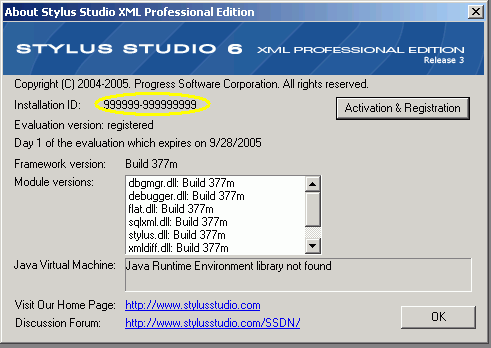
To locate your Stylus Studio® Installation ID, first open Stylus Studio and click "About Stylus Studio" from the "Help" menu. If you have not yet installed Stylus Studio, you can download it from our web site.

Find the sequence of numbers following the text "Installation ID" (circled). If there is no Installation ID found here, you must first activate your licensed copy of Stylus Studio®. You can do this by clicking the button labeled "Activation & Registration". Follow the instructions given. Once activated, the Installation ID should now appear.