 Cart
Cart|
Home > Export XML to HTML
XML to HTMLStylus Studio provides various tools and utilities that make converting XML to HTML an easy process. Of course, you can always hand-generate HTML from your XSLT or XQuery code. But the most powerful tool in the Stylus Studio® toolbox for working with HTML output is the XML Publisher — a powerful XML report designer that allows users to create advanced document layouts for use in single-source publishing (including HTML), XML content management, and multi-channel publishing applications. Using an intuitive visual interface, business users can easily design rich document layouts to export XML content to HTML, XSL-FO, or PDF using XSLT 1.0, XSLT 2.0, or XQuery 1.0. Stylus Studio® XML Publisher supports numerous disparate data sources including relational databases; XML databases; Web services: EDI, EDIFACT, X12, CSV and other flat file formats; as well as XML and XML Schema documents. 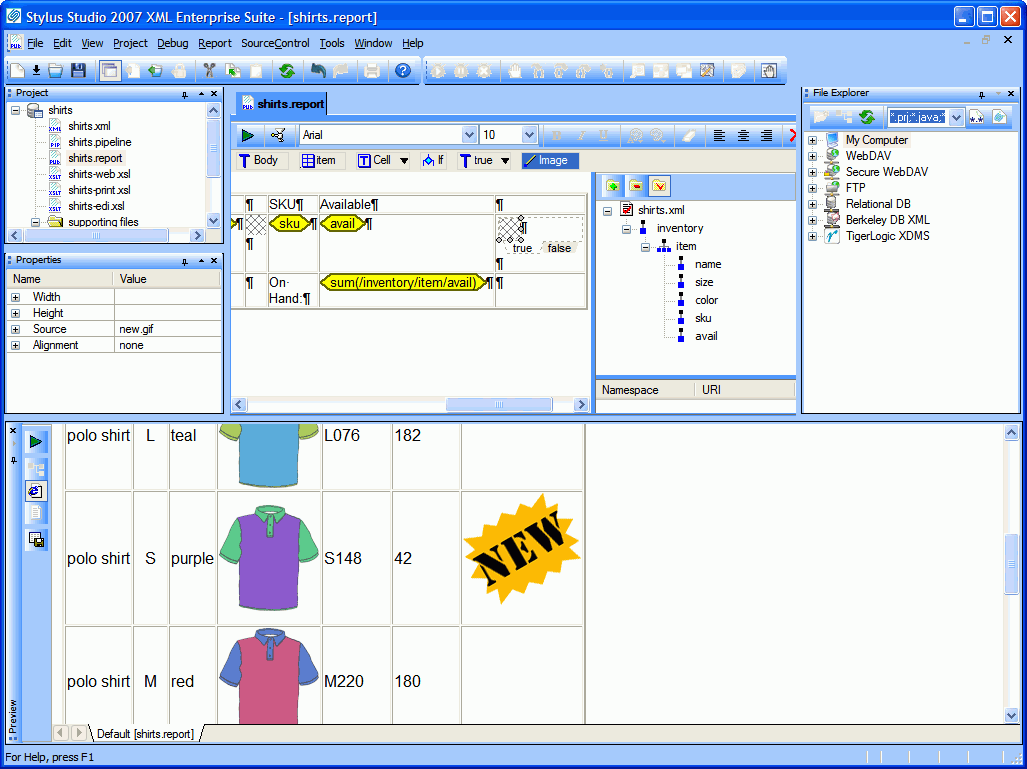 (click to enlarge) XML PublisherAn overview of the many features and functions of the Stylus Studio® XML publisher.
After reading this you should have a good idea of the basic constructs This will show you how to design an XML Report in a PDF or HTML format by taking you step-by-step through creating the output for a sample XML report use-case. What kinds of report code can Stylus Studio® generate?
What differences are there between publishing for the web and publishing to paper or another electronic document format?
What happens when the structure of the content changes? Learn how to use XML Publishing tools to design and implement multi-channel publishing applications which enable you to publish multiple output formats from the same input, at the same time. This tutorial provides valuable insight on how to use Stylus Studio®'s XML publishing tools
to implement enterprise-wide Content Management systems which unlock valuable information and enables more efficient information reuse.
|
PURCHASE STYLUS STUDIO ONLINE TODAY!!Purchasing Stylus Studio from our online shop is Easy, Secure and Value Priced! 
Learn Stylus Studio in 6 MinutesCan six minutes change your life? A new action-packed online video demonstration covers how to use Stylus Studio in just six minutes! Watch this video and change the way you develop XML applications forever! Ask Someone You KnowDoes your company use Stylus Studio? Do your competitors? Engineers from over 100,000 leading companies use Stylus Studio, and now you can ask someone from your own organization about their experiences using Stylus Studio. |

XML PRODUCTIVITY THROUGH INNOVATION ™


